
We will review key aspects of working with server infrastructure through the ispmanager panel – site deployment, web server and database configuration, antivirus protection (using Dr.Web modules and built-in tools as examples), integration of modern technologies, as well as recommendations for ensuring security and stability.
Importance of a convenient control panel
A properly configured server is the foundation of stable operation for any IT project and business. Without a convenient management panel, administration turns into "console" chaos: installing a CMS takes a lot of time, managing SSL certificates requires deep knowledge, and the probability of error is high. As a result, the slightest typo in a configuration file can lead to site crashes or vulnerabilities. Proper organization of work through a graphical interface solves these problems, improving performance, security and scalability infrastructure.
Project isolation and access segregation
Example of centralized management: A single panel allows you to deploy environments for different projects in isolated environments, while websites and databases “see” only their own resources and do not interfere with each other
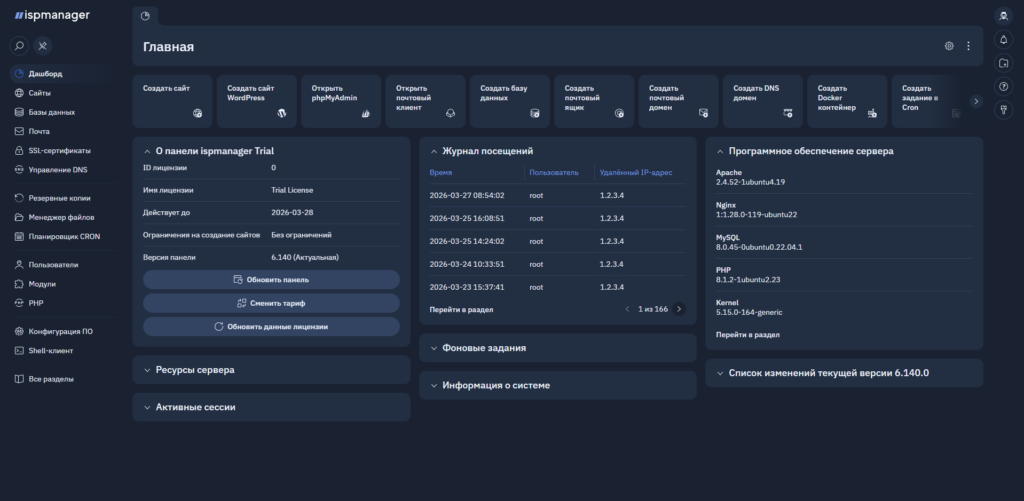
Isolation of web projects – is the division of one server's resources into several independent entities (users). In practice, it is most often implemented through a system of quotas and access rights within ispmanager. This provides a number of advantages:
- Individual environment: for different projects on the same server, you can choose different PHP versions (and their operation modes), deploy applications on Node.js, or choose a separate DBMS (for example, Percona Server for one site and MySQL for another).
- More security: sites of different clients or departments are isolated. If one site is infected, the malicious code cannot access the files of other projects located on the same server.
- Managed access: Administrators can assign different permissions to each user. Developers can receive restricted FTP/SSH access, while content managers can use WordPress management tools to update plugins and themes without signing in to each site separately.
How to implement this on the server: you will need a clean Linux operating system (e.g., Ubuntu 22.04/24.04, AlmaLinux or Debian) and installation of the current version of ispmanager 6 (Lite, Pro or Host). The software itself configures web servers (Nginx + Apache or high-speed LiteSpeed/OpenLiteSpeed), and traffic between projects is distributed automatically. As a result, each site functions in its own space with its own system rules.
Recommendation: Create a separate user for each web project instead of keeping every company website under the default www-root user. Use Docker in the Pro/Host editions to isolate custom applications. Set disk space and resource limits for each user to help protect the server if one project receives unusually heavy traffic.
How to implement VLAN in the office: you will need a managed switch and VLAN support on the router or a separate router. Devices are configured so that switch ports are bound to specific VLANs (so-called Access ports), and traffic between network equipment is transmitted through trunk ports with 802.1Q tagging. As a result, each VLAN functions as a separate subnet with its own IP addresses and can have its own firewall rules.
Web server and security: fundamentals of protection
Web server – is a software complex that processes Internet user requests and serves them content. The panel acts as a configurator and also as a security gateway. Proper configuration of the web server via ispmanager ensures that outsiders cannot reach the internal logic of your databases. Key recommendations:
- Connection security (SSL/TLS): make sure that an SSL certificate is issued for each domain. ispmanager integrates automatic issuance and free renewal of Let's Encrypt certificates. This is especially important now, as browsers are constantly tightening certificate validity policies.
- Firewall: activate the panel's built-in firewall to filter traffic. Also enable brute-force protection (Fail2Ban), which will automatically block IP addresses of bots attempting to crack SSH or email.
- Changing standard settings: Use secure SSH keys for server administration and disable password login for root. Restrict access to the control panel to trusted office IP addresses; a nonstandard port can also reduce unsolicited connection attempts.
- Software updates: regularly install updates for the panel itself and the OS system packages. ispmanager can do this automatically in the background or notify about critical patches in Telegram.
- Backup: set up regular automatic backups (daily and weekly). Be sure to store backups outside the main server — the panel allows you to easily connect external S3 storage, Google Drive, or a third-party FTP server.
A reliably configured web server and proper backups are the first line of defense for your infrastructure. By completing basic checklists in the panel, you will close most common vulnerabilities.
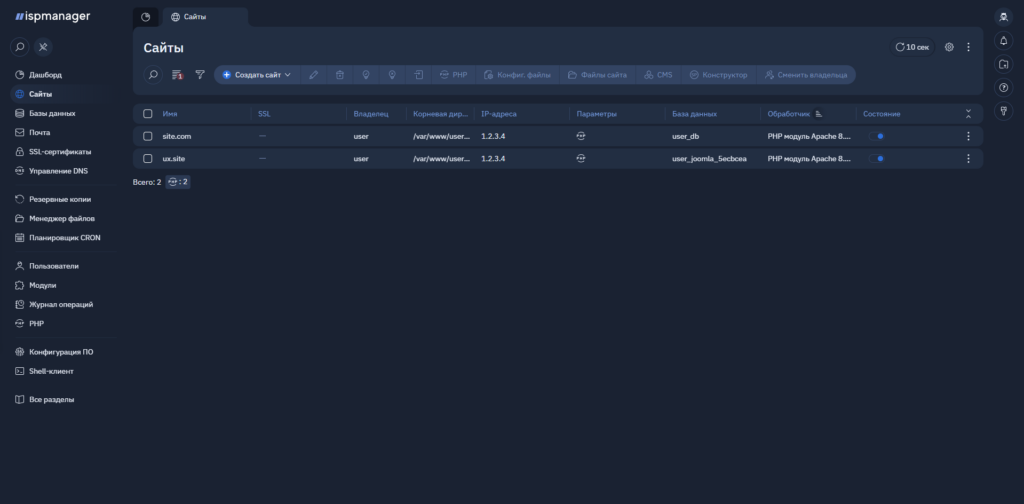
Antivirus protection and server monitoring
Timely threat detection: the antivirus module scans files and the database, detects suspicious scripts, and issues notifications to the administrator
Even the most sophisticated network configuration will not be 100% secure if there are 'holes' in the website code or plugins. Specialized protective software must operate at the server file system level. Key server security recommendations:
- Code audit solutions: right in the panel you can enable an antivirus module (for example, Dr.Web or ImunifyAV). They are capable of scanning the web server, finding and neutralizing malicious scripts, shells, and miners, handling both known and new threats.
- Automation of verification: set the scan schedule for non-working hours (e.g., at night) so that this process does not consume server resources during high loads, and enable automatic healing of infected files.
- Notifications: use the built-in Telegram integration to instantly receive alerts in the messenger if the server runs out of disk space, a backup failure occurs, or a virus threat is detected.
Translation editors: Соловьев В., Пеков А.